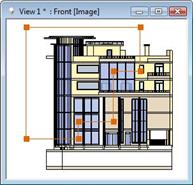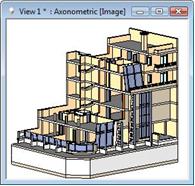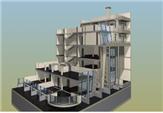
You also have the possibility to cut the model in the 3D view window with a stepped section line, and then you can show the result in a 3D OpenGL (image) window on a rendered image.
For this you have to use the following commands:
The program cuts the model in the 3D view window. OpenGL and rendering displays only this part of the model. The cut model remains in the 3D window until you give instructions for generating the whole 3D view of the model.
Advantage:
As you cut the real 3Dmodel, you can also create photorealistic picture from the stepped 3D section of the model.